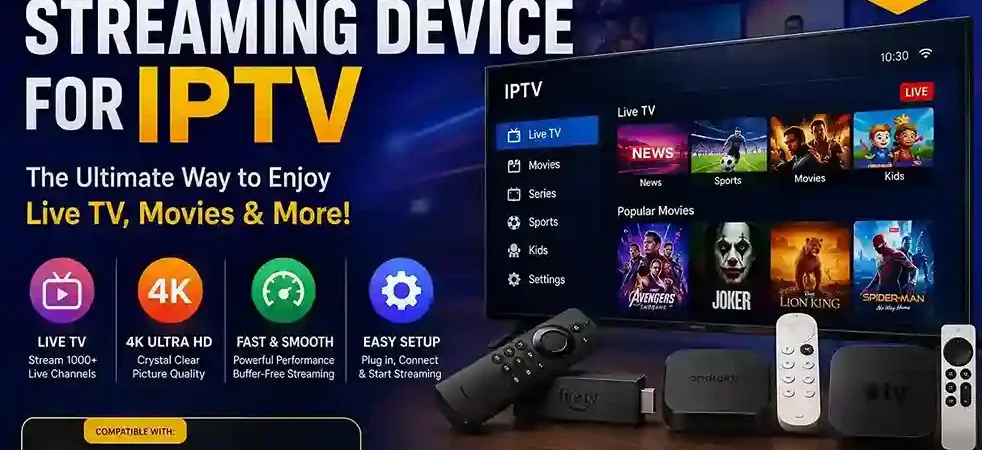
If you’ve ever tried to set up IPTV on your TV and found yourself lost in a maze of settings, apps, and confusing tech jargon, you’re not alone. Choosing the right streaming device can make the difference between a smooth, buffer-free viewing experience and hours of frustration.
With so many options on the market — from budget-friendly sticks to premium boxes — picking the best streaming device for IPTV doesn’t have to be complicated. In this guide, we’ll break down exactly what to look for, compare the top devices available today, and help you find the perfect match for your needs and budget.
Table of Contents
What Makes the Best Streaming Device for IPTV?
Not all streaming devices are created equal when it comes to IPTV. While any device that connects to the internet can technically stream video, the best streaming device for IPTV needs to handle a specific set of demands: running third-party apps smoothly, delivering consistent picture quality, and staying reliable during long viewing sessions.
Before diving into specific products, it helps to understand what separates a great IPTV device from an average one.
Key Features to Look For in the Best Streaming Device for IPTV
IPTV App Compatibility
Not every streaming device supports every app equally well. Some devices restrict which apps can be installed through their official app store, while others (like Android-based boxes) allow more flexibility for sideloading third-party applications. If you plan to use a specific IPTV app, check compatibility before you buy.
Streaming Quality
Picture quality depends on more than just your internet connection — it also depends on the device’s ability to decode and process video. Look for devices that support at least 1080p, and ideally 4K with HDR, if you want the sharpest, most vibrant image possible.
Performance and Speed
Nothing ruins a viewing session faster than buffering, lag, or an app that crashes mid-episode. The best streaming device for IPTV will have enough processing power (RAM and CPU) to run apps smoothly, switch between channels quickly, and handle live streaming without hiccups.
Ease of Setup
Some devices are ready to go in minutes, with simple menus and guided setup. Others require more technical know-how to configure properly. If you’re not particularly tech-savvy, prioritize a device known for a beginner-friendly interface.
Best Streaming Devices for IPTV
Now that you know what to look for, let’s compare four of the most popular streaming devices on the market today.
Best Streaming Device for IPTV: Amazon Fire TV Stick
Compatibility
The Fire TV Stick runs on Amazon’s Fire OS, which is built on Android. This means it supports a wide range of apps from the Amazon Appstore, and tech-savvy users can sideload additional apps for more flexibility.
Performance
The Fire TV Stick 4K Max offers solid performance for its price point, with fast app switching and smooth playback for most content. Higher-end models handle 4K streaming comfortably, though older or budget versions may struggle with heavier apps.
Pros and Cons
- Pros: Affordable, widely compatible, easy remote-based navigation, strong ecosystem support
- Cons: Limited storage on base models, app store restrictions may require sideloading for full flexibility
Best Streaming Device for IPTV: Google TV Streamer
Compatibility
The Google TV Streamer (the successor to Chromecast with Google TV) runs on Android TV, making it one of the most open platforms for IPTV apps. It supports both official app store downloads and sideloaded applications.
Performance
With more RAM and processing power than previous Chromecast models, the Google TV Streamer handles multitasking and 4K playback smoothly. Its interface is fast and intuitive, with strong voice search integration through Google Assistant.
Pros and Cons
- Pros: Excellent app flexibility, smooth interface, strong smart home integration, good remote design
- Cons: Slightly pricier than basic streaming sticks, occasional software updates required for optimal performance
Best Streaming Device for IPTV: Android TV Box
Compatibility
Android TV boxes offer the most flexibility of any device on this list. Because they run a full Android operating system, they support virtually any IPTV app, whether downloaded from an app store or installed manually.
Performance
Performance varies significantly by brand and price point. Higher-end boxes with more RAM and a capable processor can rival dedicated streaming devices, while cheaper models may lag or overheat during extended use.
Pros and Cons
- Pros: Maximum app compatibility, often expandable storage, customizable interface
- Cons: Quality varies widely between manufacturers, setup can be more technical, fewer official support resources
Best Streaming Device for IPTV: Apple TV 4K
Compatibility
The Apple TV 4K runs on tvOS, Apple’s more closed ecosystem. While it supports many popular streaming and IPTV apps through the App Store, it doesn’t allow sideloading, which limits flexibility compared to Android-based devices.
Performance
This is where the Apple TV 4K shines. Its powerful chip delivers some of the smoothest, most responsive performance of any device on this list, with excellent 4K HDR support and minimal lag.
Pros and Cons
- Pros: Top-tier performance, polished interface, excellent build quality, seamless integration with other Apple devices
- Cons: Higher price point, more restrictive app ecosystem, no sideloading support
How to Choose the Best Streaming Device for IPTV
With four strong contenders on the table, how do you decide which one is right for you? The answer depends largely on your priorities: budget, performance, or picture quality.
Best Streaming Device for IPTV Based on Your Needs
Best for Budget
The Amazon Fire TV Stick remains the most affordable entry point, delivering solid performance without a steep price tag. It’s a great choice if you’re just getting started or don’t want to invest heavily in hardware.
Best for Performance
If speed and responsiveness are your top priority, the Apple TV 4K stands out. Its processing power ensures smooth app performance and quick load times, even with demanding IPTV apps.
Best for 4K Streaming
For the sharpest picture quality, both the Apple TV 4K and Google TV Streamer support 4K HDR playback beautifully. If you have a 4K television, either device will help you make the most of it.
Looking for an IPTV Service for Your Streaming Device?
Choosing the right streaming device is only one part of the IPTV setup. You also need an IPTV service that works smoothly with your preferred device and app.
Our IPTV service is designed for viewers who want to enjoy live TV and streaming content across compatible devices. Before subscribing, make sure your device and preferred IPTV app are supported.
Why Choose Our IPTV Service?
- Compatible with popular streaming devices and IPTV apps
- Easy setup and straightforward activation
- Support for multiple compatible devices
- Flexible viewing options
- Free trial available so you can test the service before subscribing
If you’re ready to try an IPTV service on your Fire TV Stick, Google TV, Android TV, or another compatible device, start your free trial today and see how it works with your setup.
Best Streaming Device for IPTV: Final Considerations
Before making your final decision, keep these three factors in mind:
Check App Compatibility
Confirm that the IPTV app you plan to use is supported on your chosen device — or that the device allows sideloading if it isn’t available through the official app store.
Consider Your Internet Connection
Even the best streaming device can’t overcome a weak internet connection. For smooth 4K streaming, aim for a stable connection of at least 25 Mbps, and consider a wired Ethernet connection for the most reliable performance.
Choose a Device That Fits Your Viewing Needs
There’s no single “best” device for everyone. Think about how you’ll actually use it — casual viewing, heavy daily streaming, or a mix of apps and services — and match that to the device that best fits your budget and technical comfort level.
Final Thoughts
Choosing the best streaming device for IPTV comes down to balancing compatibility, performance, and ease of use against your budget. Whether you go with the affordable Fire TV Stick, the flexible Google TV Streamer, a customizable Android TV Box, or the high-performance Apple TV 4K, each option offers a solid foundation for a great streaming experience.
Ready to upgrade your setup? Compare current prices and features side by side before you buy, and make sure your internet plan can keep up with your new device.